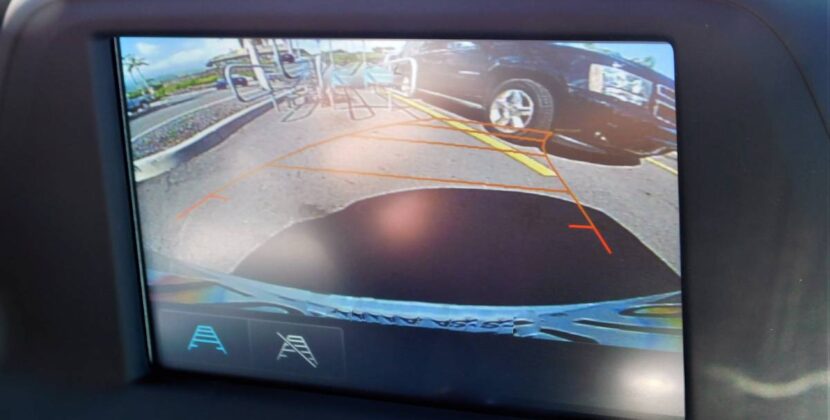
Backup cameras have become one of the most useful safety features in modern vehicles. Whether you’re reversing out of a tight driveway, parking in a crowded shopping centre, or hitching up a trailer, having your reverse camera turn on automatically can make driving safer, easier, and far less stressful.
If your backup camera doesn’t activate on its own—or only works sometimes—you’re not alone. Many drivers install aftermarket reverse cameras, upgrade head units, or change vehicles and suddenly find the camera no longer behaves as expected. The good news is that, in most cases, the solution is straightforward once you understand how backup cameras work and what controls their automatic activation.
In this guide, we’ll walk through how backup cameras are designed to turn on automatically, what can prevent them from working correctly, and how to ensure your camera activates every time you shift into reverse.
How Backup Cameras Are Supposed to Work
At a basic level, a backup camera system relies on a trigger signal that tells the screen or head unit when to display the camera feed. This trigger usually comes from the vehicle’s reverse light circuit.
When you put your car into reverse:
- The reverse lights receive power
- That power is sent to the backup camera
- A trigger wire tells the screen to switch to the camera view
- The display automatically changes from radio or navigation to the camera image
When everything is wired correctly, this process happens instantly and automatically, without any input from the driver.
Why Your Backup Camera Might Not Turn On Automatically
Before fixing the issue, it’s important to understand what might be going wrong. Some of the most common reasons include:
- The reverse trigger wire is not connected
- The camera is wired to the wrong power source
- Incorrect settings in the head unit
- Compatibility issues between the camera and display
- Faulty wiring or poor grounding
- Vehicle-specific electronics (especially in newer cars)
Each of these issues can prevent the camera from activating when you select reverse, even if the camera itself works.
The Reverse Trigger Wire Explained
The reverse trigger wire is the most important component in making a backup camera turn on automatically.
What Is the Reverse Trigger Wire?
This is a small wire that carries a 12-volt signal from the reverse light circuit to the head unit or display. When the vehicle goes into reverse, the wire becomes live and tells the screen to switch to the camera input.
Where Does It Connect?
Typically:
- One end connects to the reverse light positive wire
- The other end connects to the “reverse input” or “reverse trigger” on the head unit
If this wire is missing, loose, or connected incorrectly, the camera may only work when manually selected—or not at all.
Powering the Backup Camera Correctly
Another common mistake is powering the camera incorrectly.
Correct Power Source
Most backup cameras should be powered by the reverse light circuit. This ensures:
- The camera turns on only when reversing
- The image appears automatically
- There is no unnecessary power draw
Common Powering Mistakes
- Powering the camera from accessory power (ACC)
- Connecting to constant 12V
- Using an unreliable fuse tap
If the camera has constant power, the screen may not know when to switch automatically, or the camera may stay on continuously.
Checking Your Head Unit Settings
Even if the wiring is correct, many modern head units require settings to be enabled manually.
Settings to Look For
- Reverse camera input enabled
- Correct camera type selected (CVBS, AHD, NTSC, PAL)
- Auto-switching set to “on”
- Parking guidelines enabled or disabled as needed
Some head units won’t switch to the camera unless these options are configured correctly, especially aftermarket units.
Factory Head Units vs Aftermarket Head Units
The process of making a backup camera turn on automatically depends heavily on the type of system you’re using.
Factory (OEM) Systems
Factory systems often use:
- CANBUS signals instead of simple 12V triggers
- Vehicle-specific modules
- Integrated software controls
This makes retrofitting or troubleshooting more complex, especially in newer vehicles.
Aftermarket Systems
Aftermarket head units are usually simpler:
- Dedicated reverse trigger wire
- Standard RCA camera input
- More flexible settings
However, they still require proper wiring and configuration.
Vehicles With CANBUS Systems
Many newer vehicles use CANBUS (Controller Area Network) systems instead of traditional wiring.
Why CANBUS Matters
In CANBUS vehicles:
- Reverse signals may be digital, not analogue
- Reverse lights don’t always provide a clean trigger
- The head unit may need a CANBUS interface module
Without the correct interface, the camera may not turn on automatically—even if everything looks wired correctly.
Wireless Backup Cameras and Auto Activation
Wireless backup cameras are popular due to easier installation, but they come with their own challenges.
How Wireless Cameras Work
- Video signal is transmitted wirelessly
- Power still usually comes from the reverse light
- Trigger signal still needs to reach the screen
Common Wireless Issues
- Signal delay
- Interference
- Inconsistent triggering
- Poor power supply
Wireless systems can work well, but proper installation is still critical for automatic activation.
Common Installation Mistakes That Prevent Auto Activation
Many issues come down to simple installation errors, such as:
- Loose ground connections
- Poor-quality connectors
- Incorrect wire splicing
- Running video cables near high-interference wiring
- Forgetting to connect the reverse trigger wire entirely
These mistakes can cause intermittent issues that are frustrating to diagnose.
Testing Your Backup Camera System
If your camera doesn’t turn on automatically, testing step by step can help identify the problem.
Basic Testing Steps
- Check if the camera has power when in reverse
- Test reverse lights to ensure they work correctly
- Confirm voltage at the trigger wire
- Manually switch to camera input to test video feed
- Inspect wiring connections for damage or looseness
If the camera works when selected manually, the issue is almost always with the trigger signal or settings.
Trailer and Caravan Considerations
If you tow a trailer or caravan, automatic camera activation becomes even more important.
Common Towing Issues
- Trailer wiring interfering with reverse signals
- Incorrect trailer harness connections
- Head unit switching between multiple camera inputs
Some setups require additional switches or modules to manage multiple cameras correctly.
When Professional Installation Makes Sense
While some DIY installs are successful, backup camera systems can quickly become complex—especially in newer vehicles or those with factory screens.
Professional installers understand:
- Vehicle-specific wiring
- CANBUS integration
- Correct grounding techniques
- Head unit compatibility
- Clean, reliable installation methods
If you’re unsure and want peace of mind, trust Bankstown Sound to handle it for you. A professional installation ensures your backup camera turns on automatically every time, without glitches or guesswork.
Benefits of an Automatically Activating Backup Camera
Getting your backup camera to turn on automatically isn’t just about convenience—it’s about safety and confidence.
Key benefits include:
- Reduced risk of reversing accidents
- Better awareness of obstacles and pedestrians
- Easier parking in tight spaces
- Faster response when reversing
- A more factory-like driving experience
When your camera activates instantly, it becomes a natural extension of how you drive.
Legal and Safety Considerations in Australia
In Australia, backup cameras are not mandatory for all vehicles, but they are strongly recommended—especially for larger vehicles, utes, and SUVs.
An automatically activating camera:
- Helps reduce blind spot risks
- Supports safer reversing in public areas
- Can complement parking sensors and mirrors
Ensuring the system works reliably is essential for real-world safety.
Final Thoughts
Making your backup camera turn on automatically comes down to three core elements: correct wiring, proper settings, and vehicle compatibility. In many cases, the issue is as simple as a missing trigger wire or a setting that hasn’t been enabled. In others, especially with modern vehicles, additional modules or expert knowledge may be required.
Whether you’ve installed a new camera, upgraded your head unit, or noticed your system behaving inconsistently, understanding how the system works gives you a clear path to fixing it properly.
And if you’d rather not deal with wiring diagrams, trim removal, or troubleshooting electrical systems, having a professional handle the job can save time, frustration, and costly mistakes. With the right setup, your backup camera should activate instantly and reliably—every single time you select reverse.